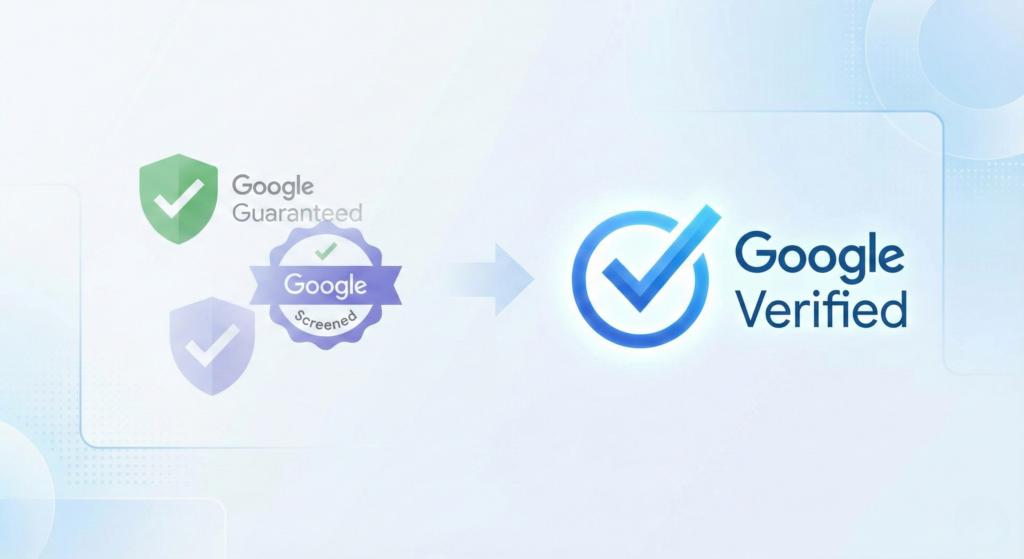
The green “Google Guaranteed” badge is gone. In its place is the unified blue Google verification badge.
For years, businesses relied on the “Guaranteed” program as a marketing crutch. The financial safety net allowed some to sell Google’s reputation instead of their own. That era is over. The new blue checkmark simplifies the landscape. It signals one thing: Legitimacy.
This update removes the confusion between “Screened,” “Guaranteed,” and “License Verified.” It also removes the money-back guarantee. Trust is no longer outsourced to Google’s wallet. It is earned through your operational discipline.
Here is how to navigate this shift and leverage the new badge to dominate your market.
The Operational Shift: From Insurance to Identity
The most critical change is the removal of the Google Money Back Guarantee. Previously, the badge implied a financial warranty. Now, it implies identity verification. This shifts the burden of proof back to you.
The badge verifies that you are who you say you are. It confirms your license, insurance, and background checks are valid. It does not promise a refund.
You must adjust your sales psychology. You cannot lean on “Google backs us.” You must prove “Google verified us.”
Comparison: Old Badge vs. New Badge
| Feature | Google Guaranteed (Old) | Google Verified (New) |
|---|---|---|
| Visual Identity | Green Checkmark | Blue Checkmark |
| Primary Signal | Financial Protection | Identity & License Verification |
| Consumer Promise | Money Back Guarantee | Vetted Professional |
| Ranking Factors | Bid + Proximity | Responsiveness + Verified Reviews |
| Availability | Home Services Only | All LSA Verticals |
Strategy 1: Speed is the New Trust Signal
With the removal of the financial guarantee, Google’s algorithm needs a new way to protect consumers. That proxy is Responsiveness.
Google protects its user experience. If a user clicks a “Verified” profile and gets voicemail, Google looks bad. The algorithm now heavily penalizes slow response times.
What to do:
Answer in 3 Rings: Ensure your intake team or answering service picks up immediately.
Enable Message Leads: Turn on messaging in your LSA dashboard. It signals availability.
Automate Responses: Use our Paid Advertising services to set up automated text-backs for missed calls. This stops the prospect from calling the next business on the list.
Strategy 2: The “Verified Review” Pipeline
Reviews are your new safety net. Without the money-back guarantee, a consumer’s only assurance is the experience of past clients.
Not all reviews are equal. A “Verified Review” comes from a job booked directly through Local Services Ads. These carry significantly more weight in the ranking algorithm than standard Google Business Profile reviews.
The Protocol:
Mark Jobs as Booked: You must mark leads as “Booked” in your LSA dashboard.
Trigger the Request: Once marked complete, use Google’s automated system to request the review.
Respond Instantly: Reply to every review within 24 hours. This signals activity to the algorithm.
Strategy 3: Update Your Sales Script
Your sales team likely uses the “Google Guarantee” as a closing tool. Using that language now creates liability. You must retrain your team to explain the Google verification badge accurately.
Explaining the Badge to Skeptical Leads
how you should respond: “Google has updated their program to focus on security and verification. The new Google Verified badge means they have personally audited our licenses, insurance, and background checks. They don’t just insure the transaction; they verify that we are a legitimate, safe, and qualified company to let into your home. We maintain this status by keeping our credentials perfect.”
The 'Why Trust Us' Pivot
New Pitch: “We are Google Verified. That means we’ve passed a rigorous background and license check that most competitors can’t. We don’t hide behind a generic guarantee; we stand behind our own work with hundreds of verified 5-star reviews.”
Strategy 4: Protect Your Badge
The blue checkmark is dynamic. It does not stay forever. It requires active maintenance of your “Digital Job Site.”
If your insurance document expires in the dashboard on a Tuesday, your badge disappears on Wednesday. Your ads stop running. You lose market share instantly.
The Maintenance Checklist:
Sync your NAP: Ensure Name, Address, and Phone number match exactly on your LSA profile, Google Business Profile, and Secretary of State filings.
Pre-upload Documents: Upload renewed insurance certificates and license renewals 30 days before they expire.
Monitor Headshots: Ensure team photos are current. Google requires background checks for field workers in many industries.
For a deeper dive into the specific impacts on Northern Indiana businesses, read our detailed analysis on What Northern Indiana Contractors Need to Know About Google’s New Trust Badge
Conclusion
The Google verification badge is a positive shift for professional businesses. It removes the “pay-to-play” aspect of the old guarantee and places the focus on operational excellence.
If you are responsive, insured, and excellent at what you do, this update favors you. It clears out the competitors who relied on a badge to mask poor service.
Do not let your verification lapse. Treat your digital credentials with the same seriousness as your physical licenses. If you need a partner to manage this infrastructure, we are ready to help.